When a customer says, “I booked Saturday, but I cannot remember the number,” your team may need to move between chat history, booking records, and Help Desk just to reconstruct the situation.
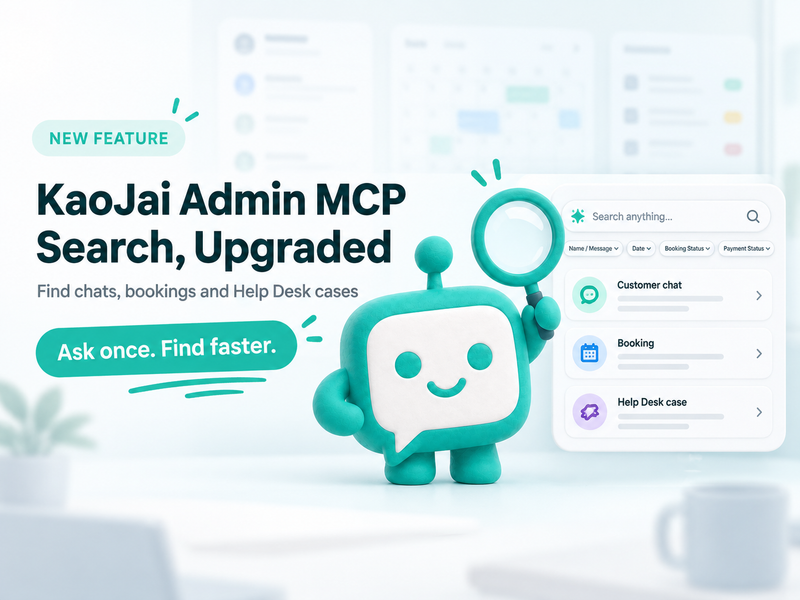
Useful search should go beyond the latest inbox. KaoJai Admin MCP now provides more capable read and search tools so AI can help find conversations, bookings, and Help Desk cases within the workspace you select.
What KaoJai Admin MCP can find
| Area | Search or filter by | What the result includes |
|---|---|---|
| Customer chats | Display name across all time; message text within a requested period of up to 30 days | Conversation, match source, safe preview, and time found |
| Bookings | Booking code, external code, order code, name, phone, email, booking status, payment status, and date | Booking summary, schedule, venue, activity, and resource |
| Help Desk | List cases, filter by state, and open a case by Case ID | Ticket, title, description, state, assignee, team, and timestamps |
In this release, Help Desk supports listing cases and opening a specific case rather than free-text search across every case. Start with a case list or state filter, then open the relevant record.
Chat search with clearer context
KaoJai Admin MCP handles names and message content deliberately:
- Display names can be searched across all time, so an older customer conversation remains discoverable.
- Message text is searched inside a period of up to 30 days, keeping the scope explicit and manageable.
- Matches from names and messages are combined and ranked by the most recent find.
- Each result identifies whether the match came from the display name, message text, or both.
For example:
Find conversations for a customer named “Pim” and messages mentioning “change the date” in the last 30 days. Summarise what needs follow-up, but do not send anything.
Booking search with operational filters
Beyond customer names and reference codes, teams can filter bookings by booking status, payment status, and date range. That supports focused questions such as:
- Which bookings for tomorrow are still awaiting payment?
- Which confirmed booking belongs to the phone number the customer provided?
- Which bookings were cancelled during the period under review?
- What venue, activity, or resource belongs to the matching booking?
The search returns the booking summary needed for the task. Raw metadata and internal notes are excluded from the tool output.
From a conversation to its Help Desk context
When a request has become follow-up work, AI can list Help Desk cases by state and open a selected case to show its ticket, title, assignee, team, and recent timestamps.
Case titles and descriptions may contain customer-provided information. Keep requests scoped to the intended workspace and avoid copying personal details outside the task unnecessarily.
Permissions still come before convenience
These capabilities remain within KaoJai Admin MCP’s permission model:
- The user connects their own account and selects an eligible workspace.
- Booking and Help Desk reads require
workspace.read. - The tools described here are read-only; they do not send messages or change records.
- Sending a customer message is a separate capability with separate permission and confirmation requirements.
When more than one workspace is connected, state the workspace, time range, and search conditions clearly before asking AI to retrieve information.
FAQ
How far back can KaoJai Admin MCP search chat messages?
Message text can be searched within a requested period of up to 30 days. Conversation display names can be searched across all time.
Can booking search use a phone number or email address?
Yes. It supports customer name, phone, email, booking codes, external booking codes, and order codes, together with status and date filters.
Can AI edit a booking or close a case through this search?
No. The capabilities in this article read and search information. Changing a record would require a separate tool and separately authorised permission.
Ask clearly, find operational context faster
KaoJai Admin MCP reduces the screen-switching needed to connect chats, bookings, and Help Desk work. Begin with a read-only question, name the workspace and conditions, and let AI summarise what it finds before your team decides the next action.