A shop keeps LINE open all day. A customer asks about a parcel at 10:00. The bot replies at once. A person types back after lunch. Teams then argue about which clock counts as “late”: case open, bot reply, or case close.
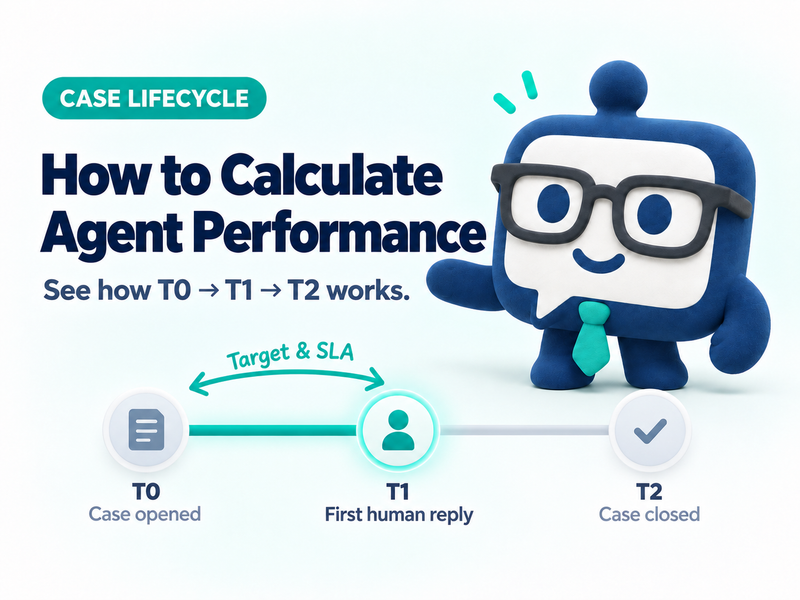
In KaoJai.ai Agent Performance the short answer is this: Target and SLA count business hours from case open to the first human reply, not time to close, and not the bot reply.
The case clocks: T0, T1A, T1B, T2
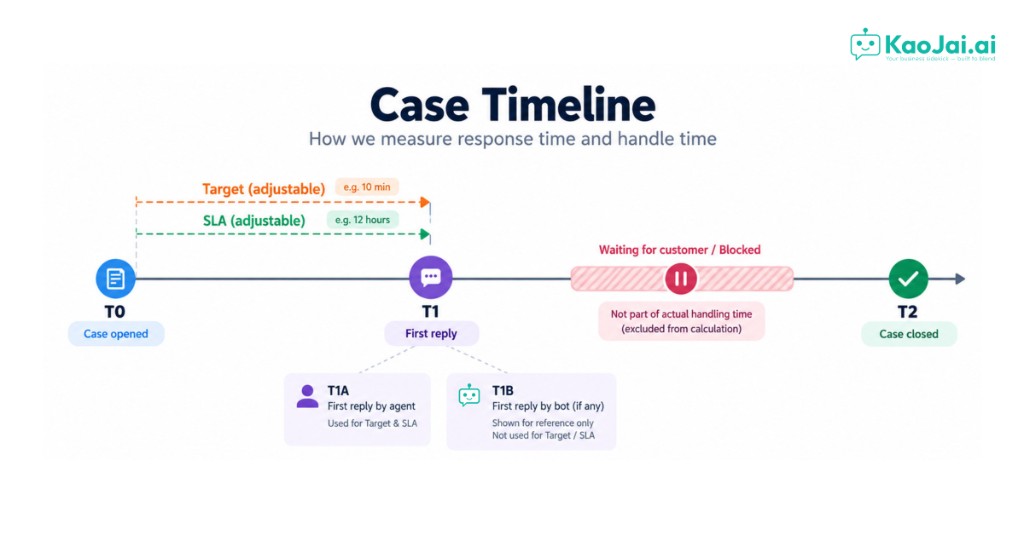
Markers make the conversation easier. In the table you will see First response (T0 → T1A) and Time to close (T0 → T2).
| Marker | What happens | How the report uses it |
|---|---|---|
| T0 | Case opened | Start of every clock |
| T1A | First human reply | The only point Target and SLA judge |
| T1B | First bot reply, if any | Shown in detail. Not scored for Target or SLA |
| Target | Default 10 business minutes after T0 | On time when T1A is no later than this |
| SLA | Default 12 business hours after T0 | On time when T1A is no later than this |
| Waiting / blocked | The case pauses mid-life | Removed from actual handling time only |
| T2 | Case closed | Close time is wall clock from T0 to T2, nights included |
The report order is T0 open → T1A human reply → T1B bot reply (if any) → T2 close.
T1B sits after T1A in the names because the score is on the person, not the bot. In a live case the bot may reply before or after the human. If a person replies first, the case moves T0 then T1A. T1B may be missing, or it may arrive later.
Target and SLA live on the T0-to-T1A line only. A slow close does not turn those two columns red by itself.
Where the table numbers come from
A clinic books through LINE. The case opens at 10:00.
If an agent replies at 10:07 during business hours, that case is on time for both Target and SLA, because T1A landed inside 10 business minutes.
If the bot replies at 10:00:20 but a person replies at 10:25, the bot helped the customer and Target still missed, because the score uses T1A, not T1B.
If a person replies before the bot, say at 10:03, Target still uses 10:03. T1B is a separate clock and does not pull the human score.
If the workspace has no business hours, the business clock becomes wall clock.
The report shows a share. Target 90% means nine in ten cases with a human reply had T1A inside the Target line.
The color bands are a quick read: green from 90%, amber 80–89%, red below 80%. Support teams use these bands often. They are not a quality score for a person.
The other clock, while work is still open
Actual handling counts business hours while the case is not waiting on the customer and not blocked, from T0 to T2, or until now if it is still open.
Close time is wall clock from open to close, including after hours. That is the T0 → T2 line.
Those two columns tell you how long the case took to finish. That is a different question from “did we reply in time?”
Set the lines so the team reads the same number
In KaoJai, open Team settings and the Performance evaluation section. Set Target in minutes and SLA in hours. The defaults are 10 minutes and 12 hours.
Set them too tight and the board goes red while customers are still fine. Set them too loose and everyone looks on time. Agree with the team what “on time” means for your shop first.
FAQ
Does a bot reply count as on-target?
No. Only the first human reply counts. That is T1A. The bot is T1B.
If a person replies faster than the bot, does the score break?
No. Target and SLA still use T1A. T1B is a separate clock. If the bot never replies, the bot column stays empty.
If the customer disappears for two days, does Target pause?
No. Target and SLA do not pause while waiting on the customer. Actual handling is the clock that drops waiting time.
Why are close time and actual handling different?
Close time includes nights and days off. Actual handling counts business hours only, and skips waiting or blocked time.
Read the report the same way
Open Agent Performance. Treat the first-response group as the T0-to-T1A line, and time to close as T0 to T2. Within target and Within SLA are the share of T1A replies that beat those lines.
If you have not set the lines yet, start with Target 10 minutes and SLA 12 hours, then adjust when the team has seen real shop data.
Where these cases come from
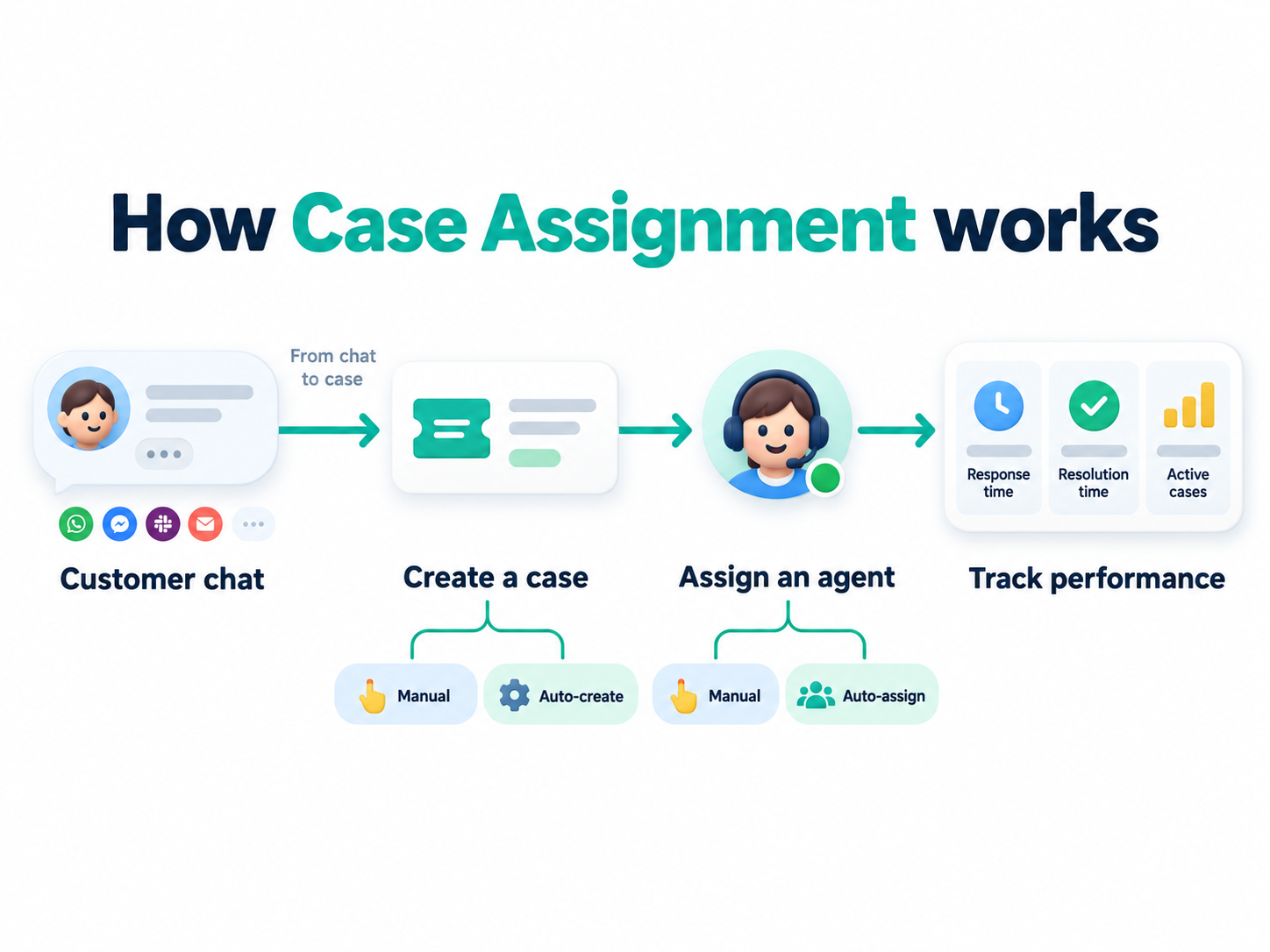
Case Assignment turns a customer chat into an owned case. Create it manually or automatically, then follow it through until it closes.