
Highlights
Chatbot Playground
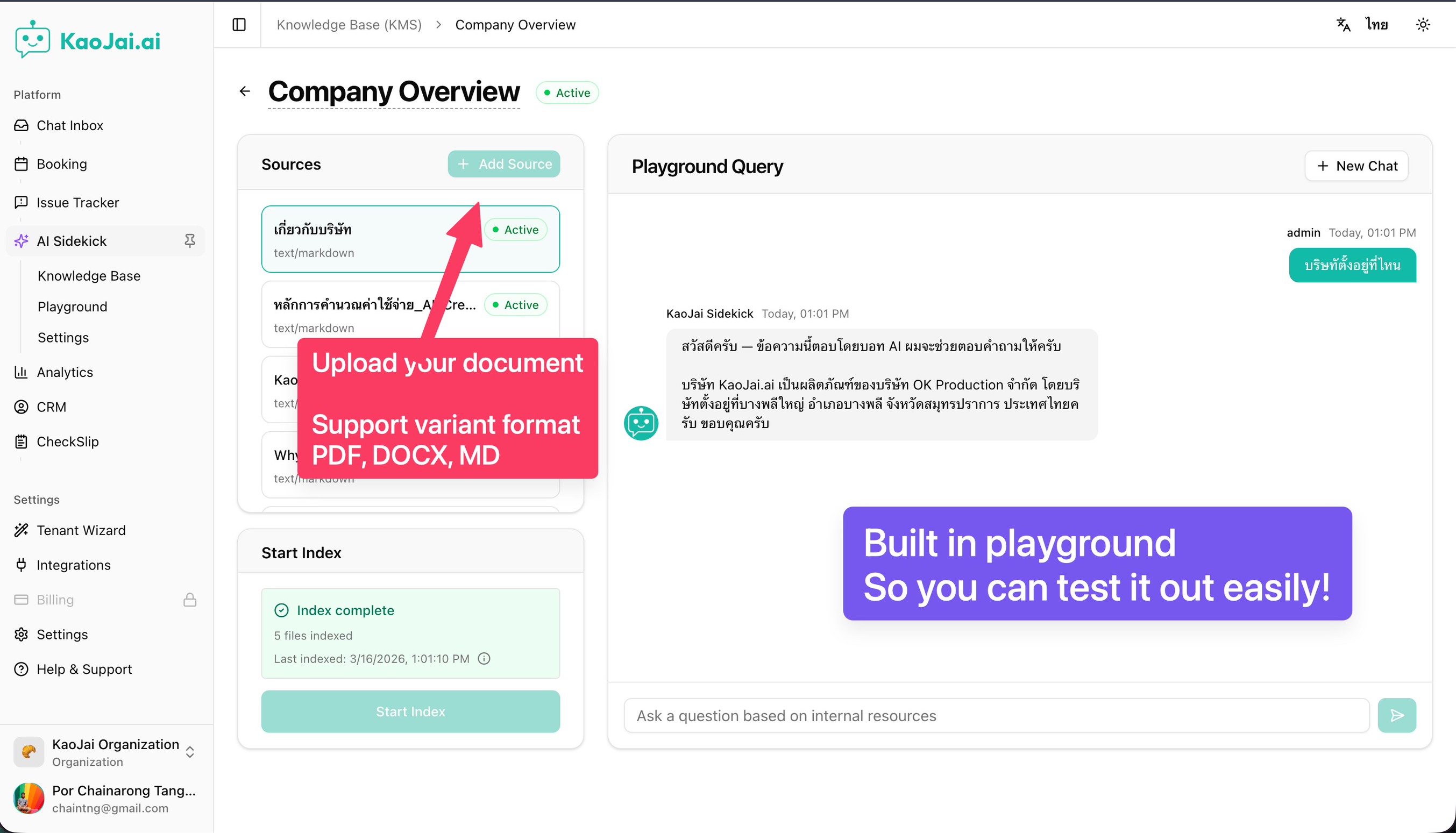
Try out the skills you’ve enabled and customized—so you can see how your bot answers before going live, including knowledge from your library.
New onboarding wizard
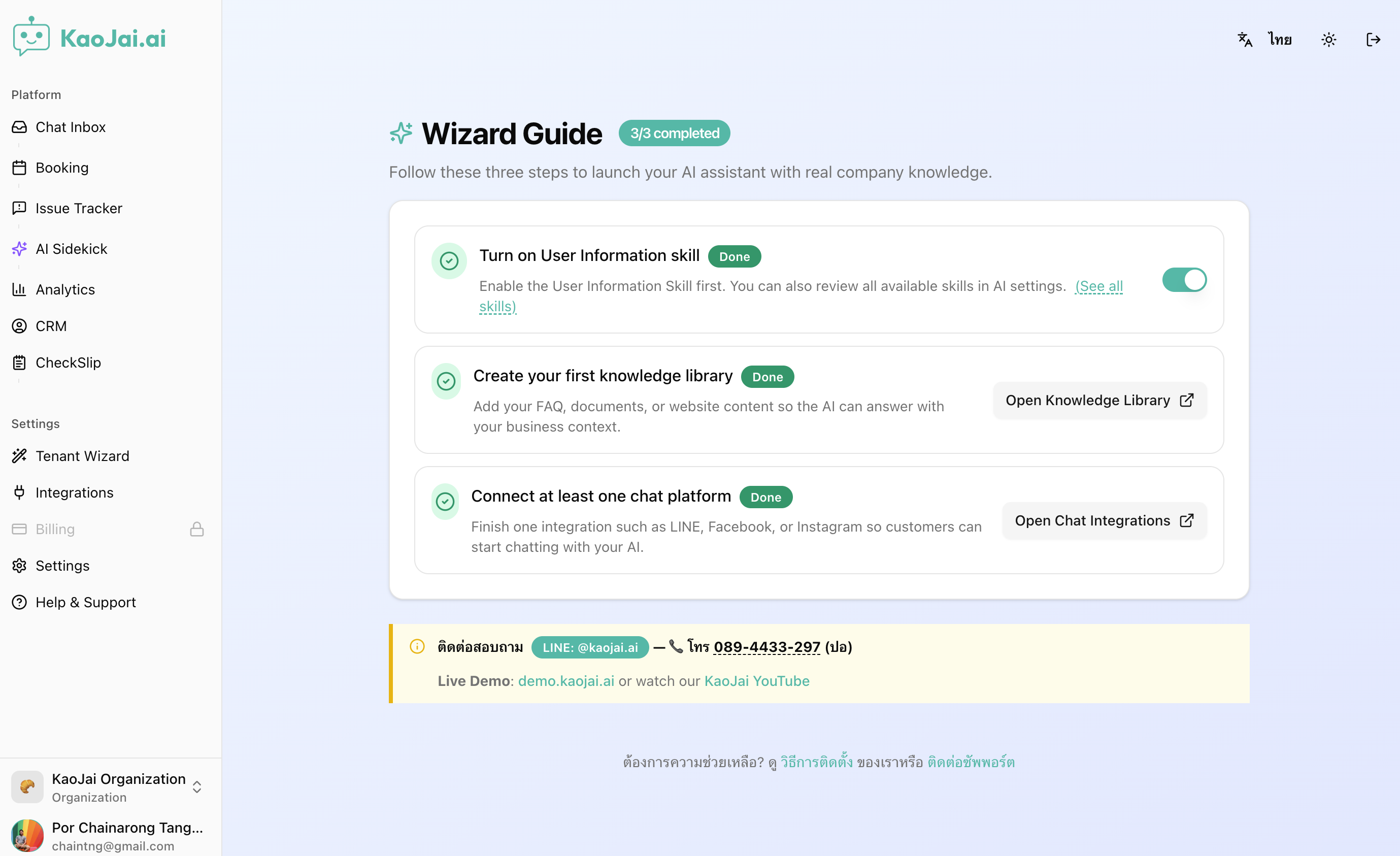
Set up your AI chatbot in 3 simple steps—faster, clearer, and easier to follow.
Knowledge library + FAQ skill for smarter answers
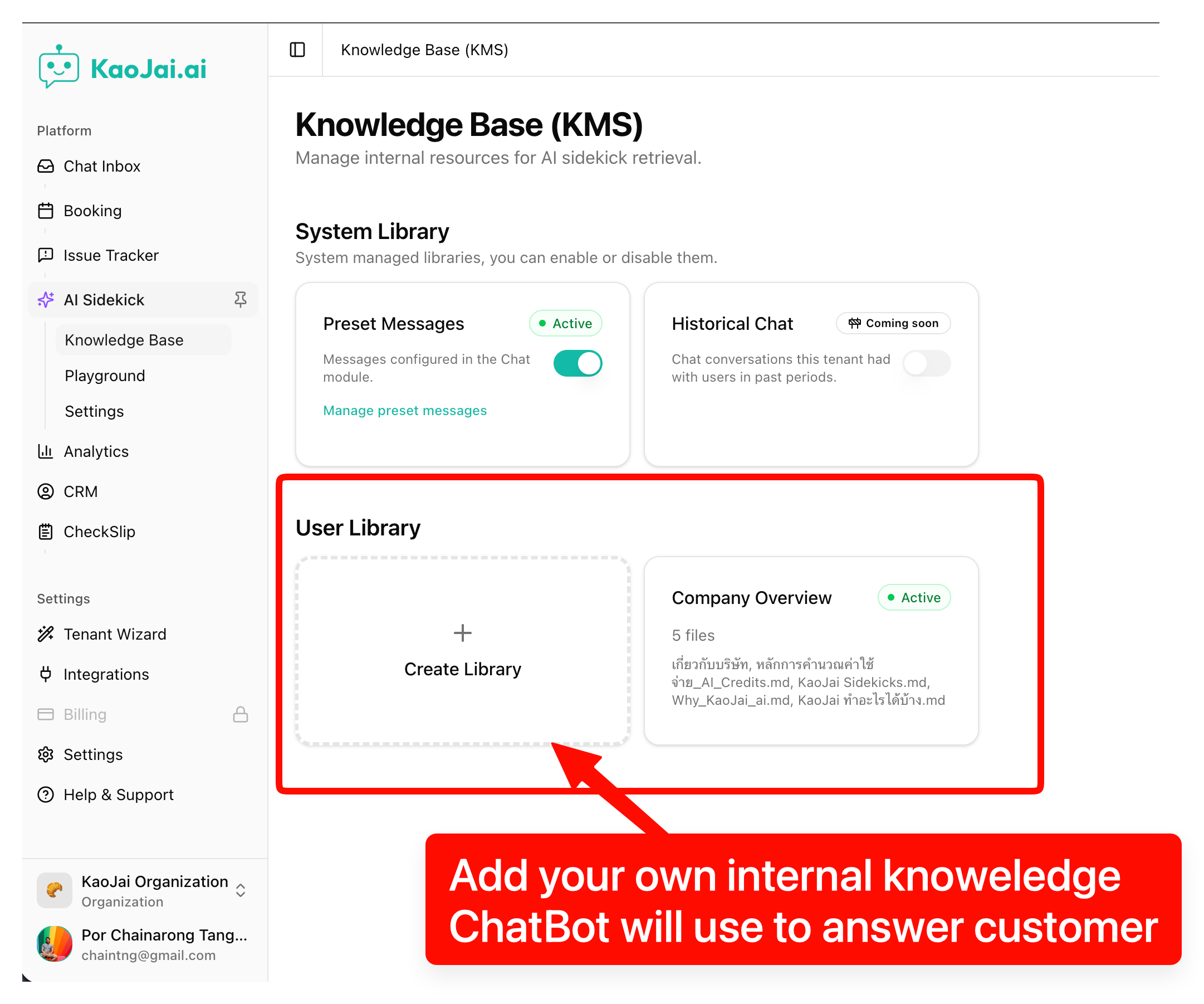
Create a knowledge library from your company content and let the bot answer FAQs more accurately and consistently.
Features
- Faster, more reliable incoming messages
- Incoming messages are now handled in a way that reduces delays and timeouts.
- This helps keep replies consistent—even during busy periods.
- Keywords: message reliability, faster responses, chat stability.
- Turn saved replies into instant FAQ answers
- Use your existing saved replies as a knowledge source for common questions.
- The bot can answer repetitive FAQs automatically, with less manual copy‑and‑paste.
- Keywords: FAQ automation, saved replies, faster customer support.
- More dependable availability updates
- Improved how availability updates are processed to reduce delays.
- Helps keep booking status accurate when there are many changes.
- Keywords: booking reliability, availability updates, smoother operations.
- Human takeover for smoother handoffs
- When a human agent starts replying, automated responses pause automatically.
- This prevents the bot from interrupting and keeps conversations clear.
- Keywords: human handoff, agent takeover, customer support.
- Improved scalability for consistent performance
- Background processing has been improved to handle growth more smoothly.
- You’ll see more consistent performance during high traffic.
- Keywords: performance improvements, scalability, platform stability.
- More reliable message processing during busy chats
- Improved how multiple messages are handled when they arrive close together.
- Reduces the chance of a new message being missed during ongoing processing.
- Keywords: message processing, chat reliability, missed messages.
- Role-based access in the admin experience
- Admin screens now better match what each role is allowed to do.
- Helps teams stay organized by showing the right actions to the right people.
- Keywords: role-based access, admin permissions, team management.
- Smarter automated agent for structured conversations
- Improved automated conversations with clearer rules and safer handling.
- Better at asking for missing details before taking the next step.
- Keywords: AI agent, automated conversations, customer support automation, guided chat.
Bug Fixed
- Improved link handling in the installed app — Fixed an issue where some links could open incorrectly, improving reliability.
- Ticket creation now supports more images — Fixed an issue that prevented creating a ticket when too many images were attached.
- More complete capture of missed messages — Fixed an issue where some missed messages weren’t collected properly.
- Chat history displays correctly on more tickets — Fixed an issue where chat history could appear incorrect for some tickets.
- Onboarding availability checks are more accurate — Fixed an issue where availability checks during onboarding could be unreliable.
- Media sending is more reliable — Fixed an issue that could cause media messages to fail or behave unexpectedly.
- Improved alert escalation reliability — Fixed an issue to ensure urgent alerts escalate more reliably when needed.
- Cleaner issue list layout — Fixed styling and layout issues on the issue list page for a clearer view.