
Changelog 2026-02-10

Public changelog covering 2026-02-03 through 2026-02-10.

Changelog 2026-02-10

Highlights

แชตบอท AI รองรับช่องทางแชตมากขึ้น
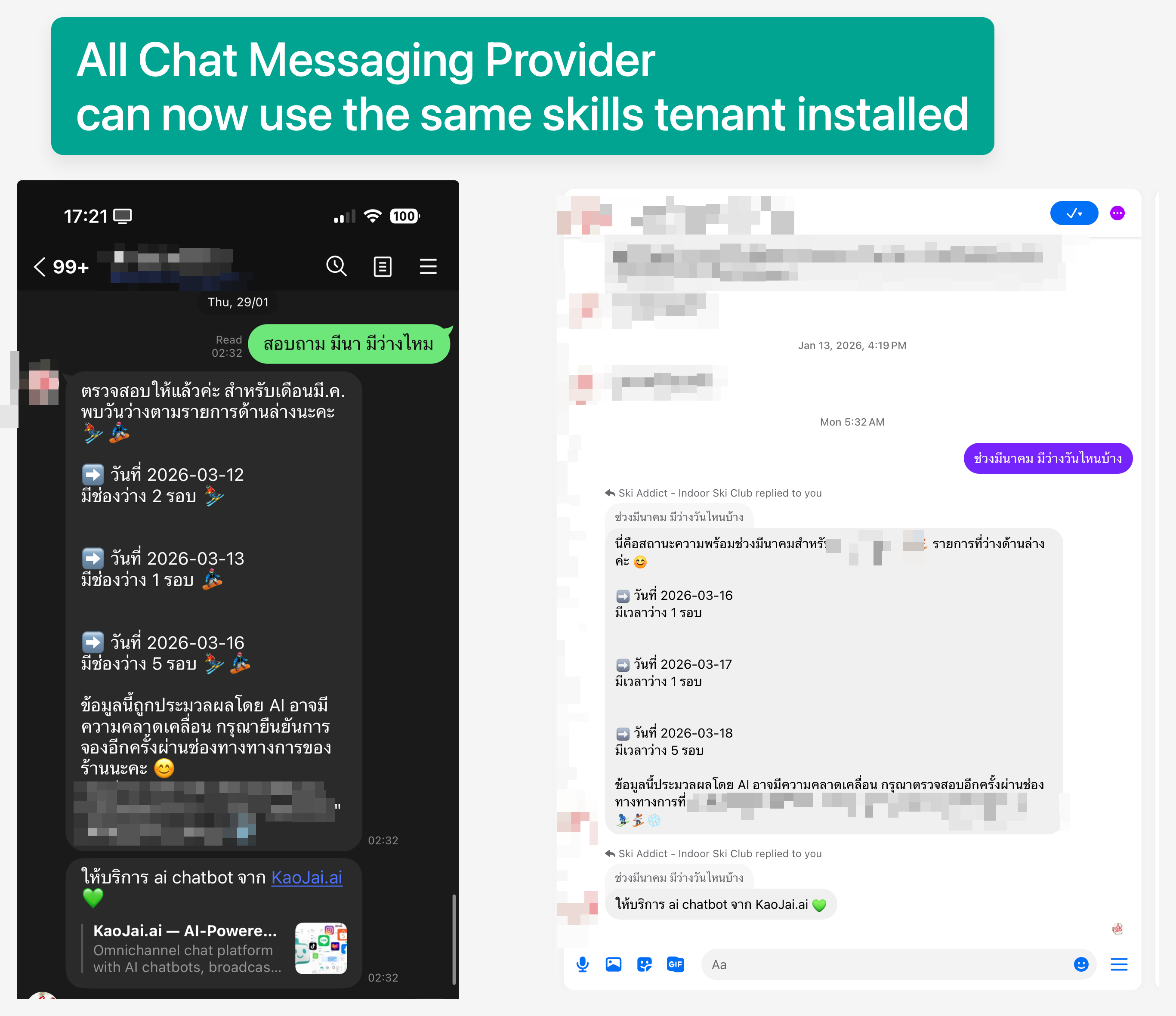
แชตบอท AI รองรับช่องทางแชตมากขึ้น

เชื่อมต่อช่องทางแชตเพิ่มเติมและใช้งานประสบการณ์แชตบอท AI แบบเดียวกันได้ในหลายช่องทาง พร้อมเปิดใช้งานทักษะของแชตบอทที่ทีมต้องการได้

แชตกับลูกค้าจาก Lazada ได้แล้ว
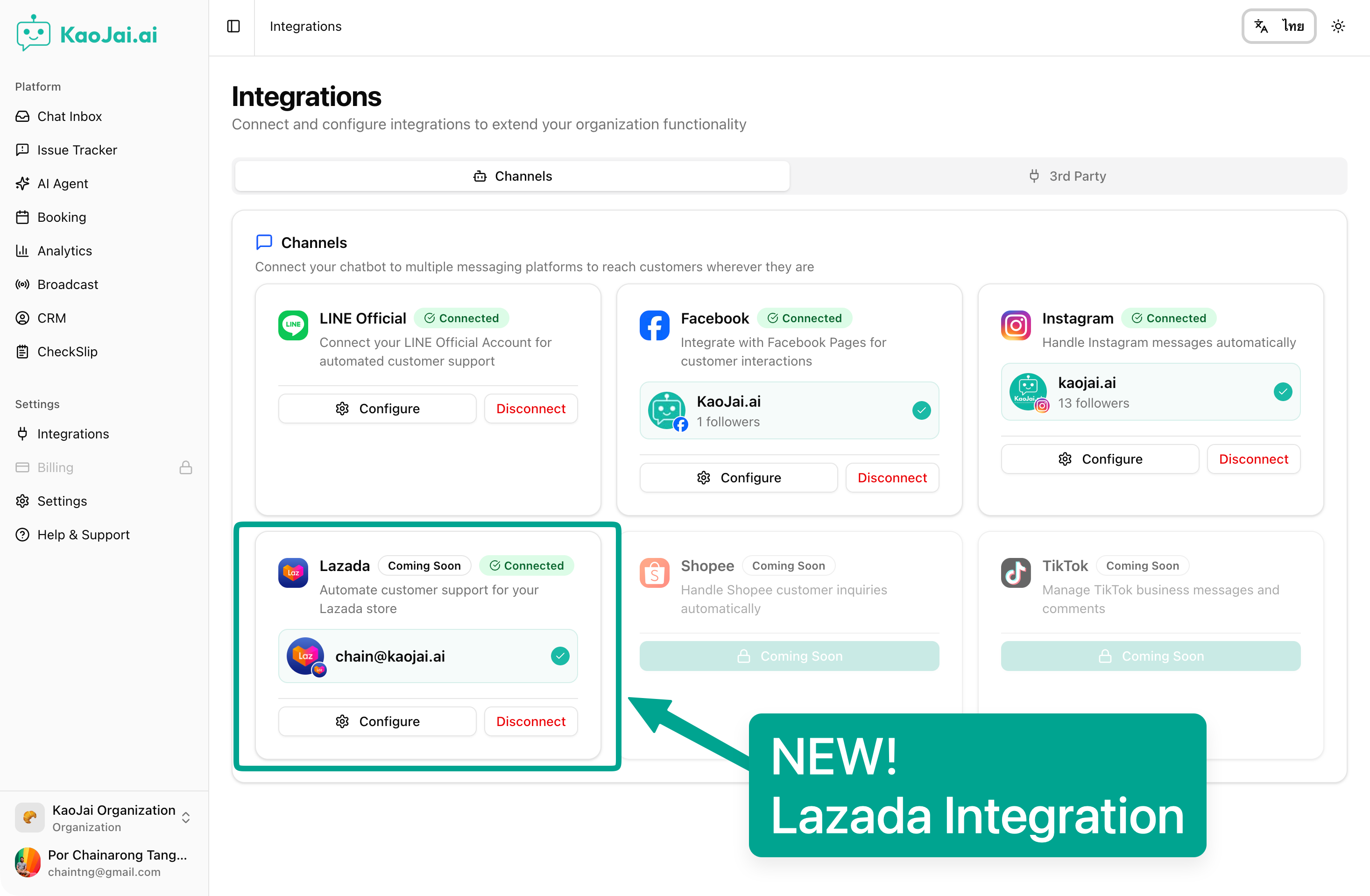
แชตกับลูกค้าจาก Lazada ได้แล้ว

ตอนนี้คุณสามารถรับและตอบข้อความลูกค้าจาก Lazada ได้ในที่เดียว ช่วยให้ตอบกลับได้เร็วขึ้นและจัดการบทสนทนาได้เป็นระเบียบ

ฟีเจอร์

  • เลือกสไตล์การตอบของแชตบอทได้
    • ช่วยให้แชตบอทตอบในโทนเดียวกับทีม โดยเรียนรู้จากการตอบของพนักงานที่ผ่านมา
    • ตั้งค่าสไตล์การตอบให้แตกต่างกันได้ในแต่ละเวิร์กสเปซหรือแบรนด์
    • ทำให้คำตอบสม่ำเสมอและตรงกับภาพลักษณ์แบรนด์มากขึ้น
    • คีย์เวิร์ด: สไตล์การตอบแชตบอท, บริการลูกค้า, โทนเสียงแบรนด์.
  • การทำงานในแอปไหลลื่นและสม่ำเสมอมากขึ้น
    • ปรับปรุงการติดตามบริบทการใช้งานระหว่างที่คุณทำงานในแอป
    • การทำงานที่ใช้บ่อยมีความต่อเนื่องและคาดเดาได้มากขึ้นในแต่ละหน้าจอและขั้นตอน
    • ช่วยให้ทีมทำงานได้เร็วขึ้นและสะดุดน้อยลง
    • คีย์เวิร์ด: ปรับปรุงเวิร์กโฟลว์, ประสบการณ์ผู้ใช้, เพิ่มประสิทธิภาพการทำงาน.
  • ซิงก์ข้อความได้เสถียรยิ่งขึ้น
    • ปรับปรุงการซิงก์ข้อความให้ลดการสะดุดในช่วงใช้งานหนาแน่น
    • ช่วยให้บทสนทนาขาเข้าดำเนินต่อได้แม้มีปริมาณข้อความเพิ่มขึ้นมาก
    • ทำให้เวลาตอบกลับแชตลูกค้ามีความสม่ำเสมอมากขึ้น
    • คีย์เวิร์ด: ซิงก์ข้อความ, แชตหลายช่องทาง, ความเสถียร, บริการลูกค้า.

แก้ไขบั๊ก

  • การอ่านรูปภาพเสถียรขึ้น — แก้ปัญหาที่อาจทำให้การอ่านรูปภาพล้มเหลวในบางกรณี
  • ป้องกันการเชื่อมต่อเพจซ้ำ — แก้ปัญหาที่อาจเพิ่มเพจเดิมซ้ำได้มากกว่าหนึ่งครั้ง

Highlights

AI chatbot now works across more messaging channels

AI chatbot now works across more messaging channels

Connect additional messaging channels and use the same AI chatbot experience across them. You can also enable the chatbot skills you want for your team.

Chat with customers from Lazada

Chat with customers from Lazada

You can now receive and reply to customer messages from Lazada in one place, helping you respond faster and keep conversations organized.

Features

  • Choose your chatbot response style
    • Help the chatbot match your team’s tone by learning from past human replies.
    • Set a custom response style for each workspace or brand.
    • Deliver more consistent, on-brand answers for customers.
    • Keywords: chatbot response style, customer support, brand voice.
  • Smoother, more consistent in-app actions
    • Improved how the app keeps track of what you’re doing while you work.
    • Common actions now feel more predictable across screens and steps.
    • Helps teams move faster with fewer interruptions.
    • Keywords: workflow improvements, user experience, productivity.
  • More reliable message syncing
    • Improved message syncing to reduce interruptions during peak usage.
    • Helps keep incoming conversations flowing even when traffic spikes.
    • Supports more consistent response times for customer chats.
    • Keywords: message sync, omnichannel chat, reliability, customer support.

Bug Fixed

  • Image reading is more reliable — Fixed an issue that could cause image reading to fail in some cases.
  • Prevent duplicate page connections — Fixed an issue where the same page could be added more than once.