
If LINE OA messages appear in KaoJai but your team cannot reply, another LINE OA Extension may still be active and controlling replies for that account.
This guide briefly explains the impact and shows how to disable the Extension so KaoJai can work normally.
What is a LINE OA Extension?
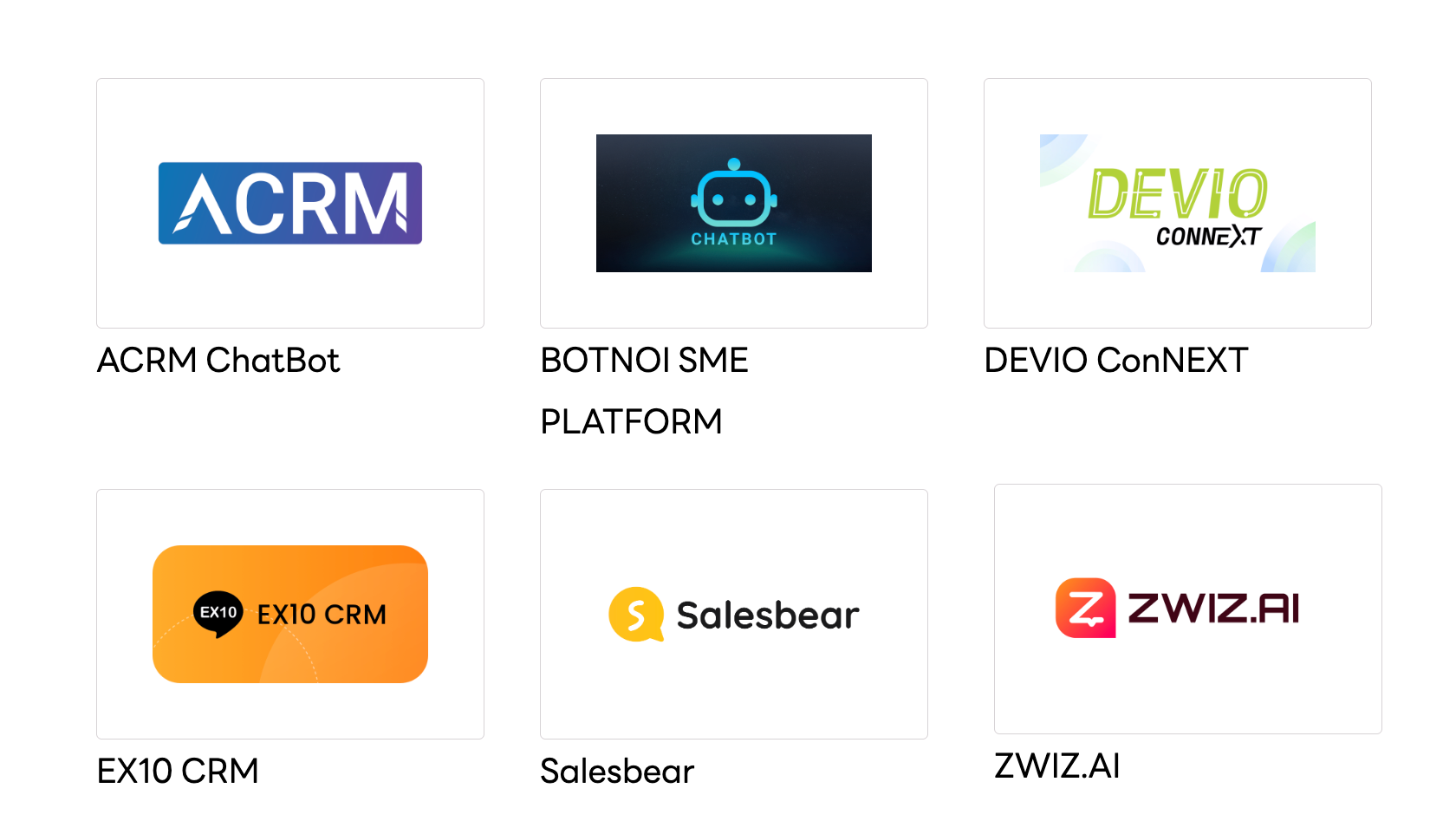
An Extension is an additional service connected to LINE OA for chat, chatbot, CRM, or customer-management features. Examples include ACRM ChatBot, BOTNOI SME PLATFORM, DEVIO ConNEXT, EX10 CRM, Salesbear, and ZWIZ.AI, as shown above.
These names are examples only. Check the Extensions connected to your own LINE OA before disabling anything.
How does an Extension affect KaoJai?
LINE allows only one channel to control replies in each conversation. When another Extension has control, KaoJai may still receive and display messages but will not receive the reply token required for a normal reply. This prevents both your team and the AI Chatbot from responding.
| Status | Impact on KaoJai |
|---|---|
| Another Extension controls chat | Messages are visible, but replies may fail |
| The Extension is disabled or disconnected | KaoJai can receive reply access for new messages |
See LINE Developers for details about Active and Standby Channels.
How to disable a LINE OA Extension
1. Open LINE Official Account Manager
Go to LINE Official Account Manager and select the LINE OA connected to KaoJai.
2. Open Extension settings
Select Extensions in the top navigation, then choose Extension settings from the left menu.
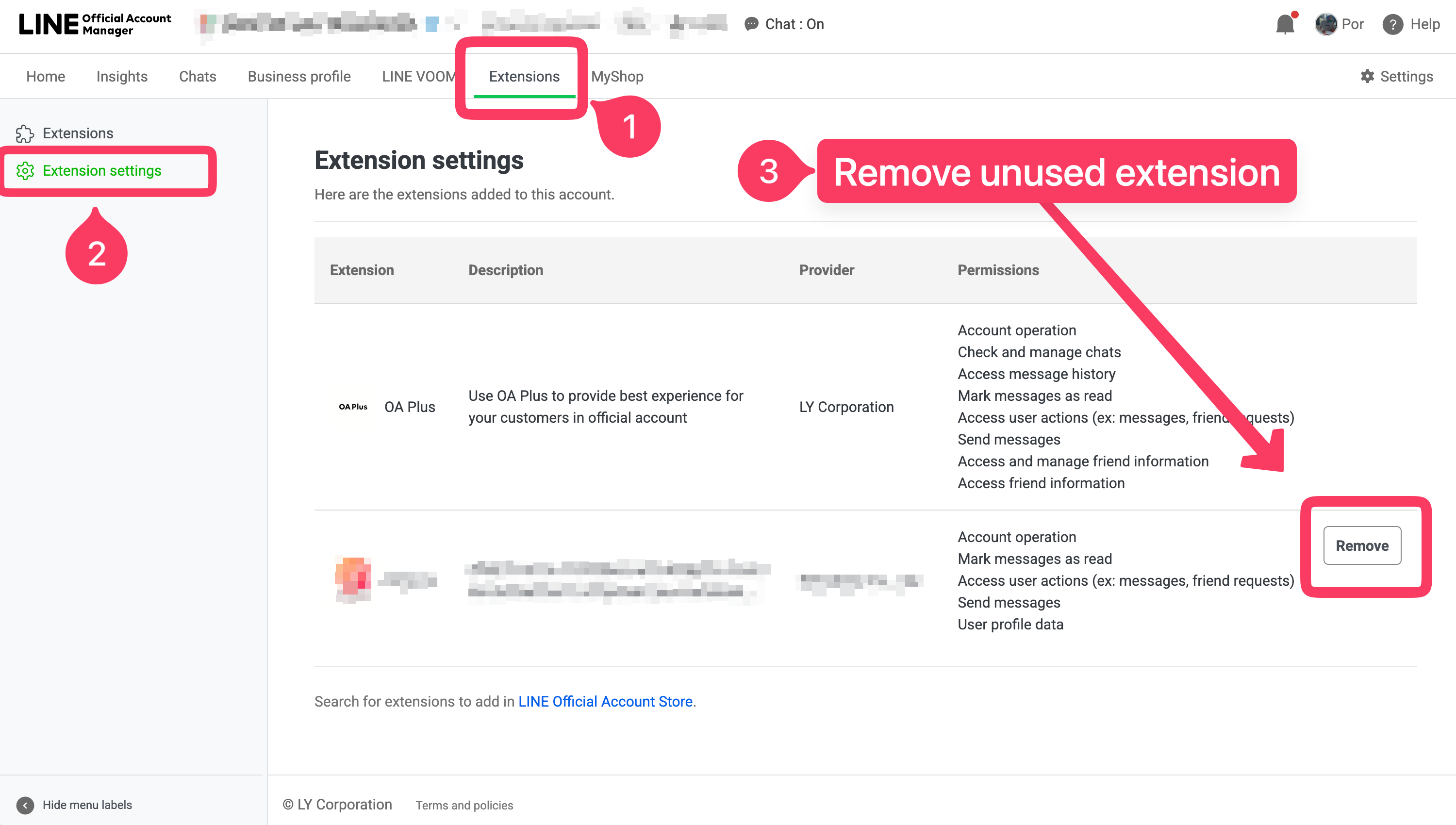
3. Disable the other provider
Select the connected Extension, then choose Deactivate, Disconnect, or the equivalent option shown by LINE. Confirm the change.
Before disabling an Extension: make sure your team no longer needs the previous provider's chat or automation features. Those services may stop immediately after disconnection.
4. Test with a new message
Ask a customer to send a new LINE OA message, then reply from KaoJai. You do not need Force Send. Messages received while the other Extension controlled chat cannot gain a reply token retroactively.
If replies still fail, contact Support through KaoJai Help and include the LINE OA name and test time.
Frequently asked questions
Which Extension should I disable?
Disable another provider that can read, manage, or reply to LINE OA chats. If you are unsure, confirm with the account administrator first.
Will disabling an Extension delete old messages?
It does not normally delete LINE OA chat history, but data or automation stored by the previous provider may be affected. Check that provider’s terms before disconnecting it.
Why can KaoJai see messages but not reply?
KaoJai still receives Standby webhooks, but LINE does not include a reply token for a channel that does not control the conversation.
Why must I test with a new message?
A reply token only arrives with a new message event. LINE will not add one later to a message received in Standby mode.
Can I enable the Extension again later?
Yes, but it may take control of replies again and prevent KaoJai from responding. Use one primary chat provider at a time.
See this LINE Developers Thailand community post for an additional example.