
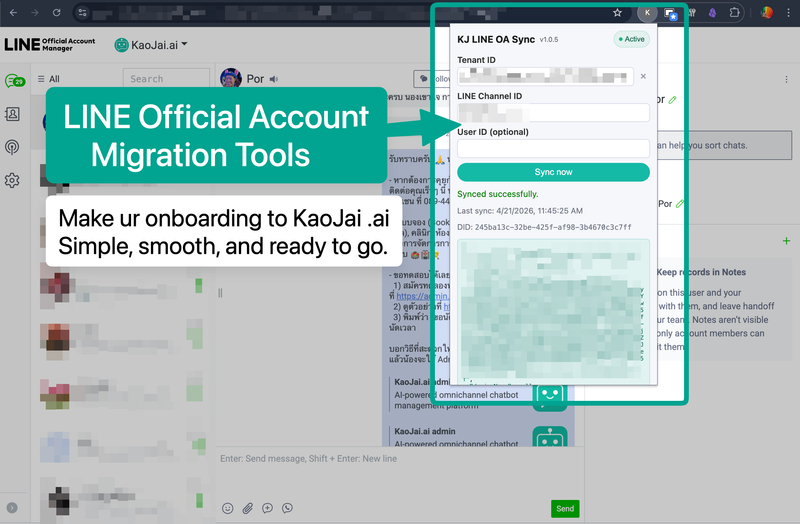
If your team already uses LINE OA (LINE Official Account) and wants to start using the KaoJai.ai Platform as quickly as possible, LINE OA Migration Tools are designed to make migration easier and smoother.
Authorization and privacy
Use this tool only for a LINE OA your business owns or is authorized to manage. KaoJai doesn't ask for a LINE password and imports only needed data. Read our Privacy Policy and Data Deletion Policy.
What does the Chrome Extension help with?
After installing the KaoJai Google Chrome Extension, your team can bring the LINE OA setup information it already manages into KaoJai more easily, including:
- Customer display names and internal naming used by your team
- Labels or tags set in LINE OA
- Preset replies
- Selected tenant-related settings
This helps your team begin working in KaoJai with familiar customer and operating context, while importing only what is needed.
How to set up the KaoJai LINE OA Migration Tool
After you receive the Chrome Extension file from our support team, unzip it and keep the folder in a secure location. Open the Chrome Extensions page, turn on Developer mode, choose Load unpacked, then open LINE Official Account Chat and use the KaoJai Extension to enter your tenant details and test sync.
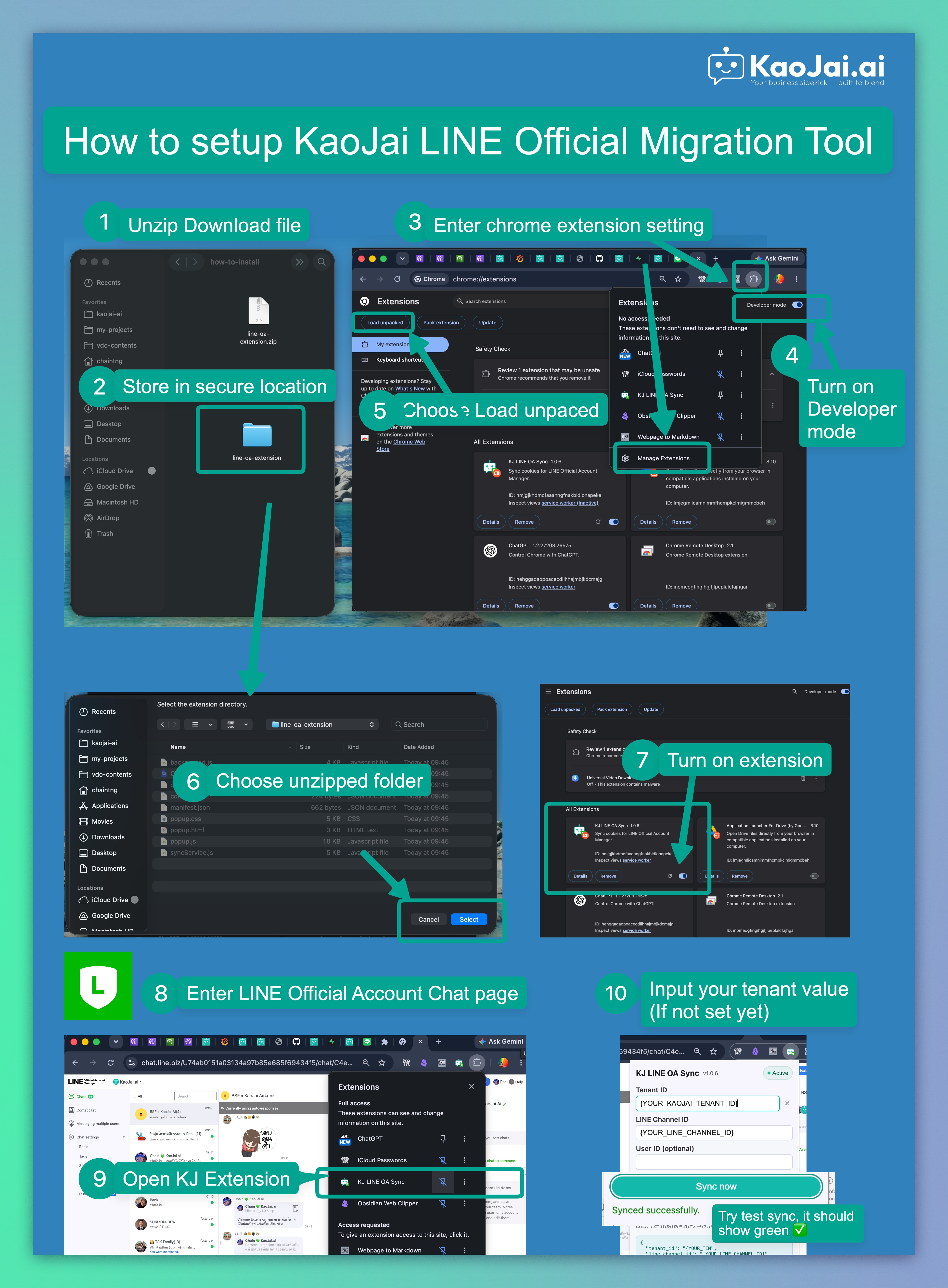
Need the Chrome Extension file? Contact our support team through KaoJai Help to get the file and setup guidance for your business.
Why this feature matters
The start of a new platform rollout is often when teams feel the most friction. This tool makes onboarding easier so your team can:
- Start using the system faster
- Keep familiar customer details and operating setup
- Work on the KaoJai Platform more smoothly
Supported packages
LINE OA Migration Tools are available from the Starter package and above.
Need more information?
For more details about limitations, setup, or recommendations based on your business workflow, contact our support team through KaoJai Help.
Meet KaoJai’s LINE OA Migration Tools.
A Chrome Extension that helps bring customer naming, LINE OA labels, preset replies, and selected setup data into KaoJai.ai. So your team can onboard fast and keep daily work consistent.
Available from the Starter Plan.
DM us for details. #KaoJai #LINEOA #CustomerSupport #ChromeExtension #SaaS #BusinessTools