
Highlights
KaoJai Enhanced KMS: choose knowledge and product sources
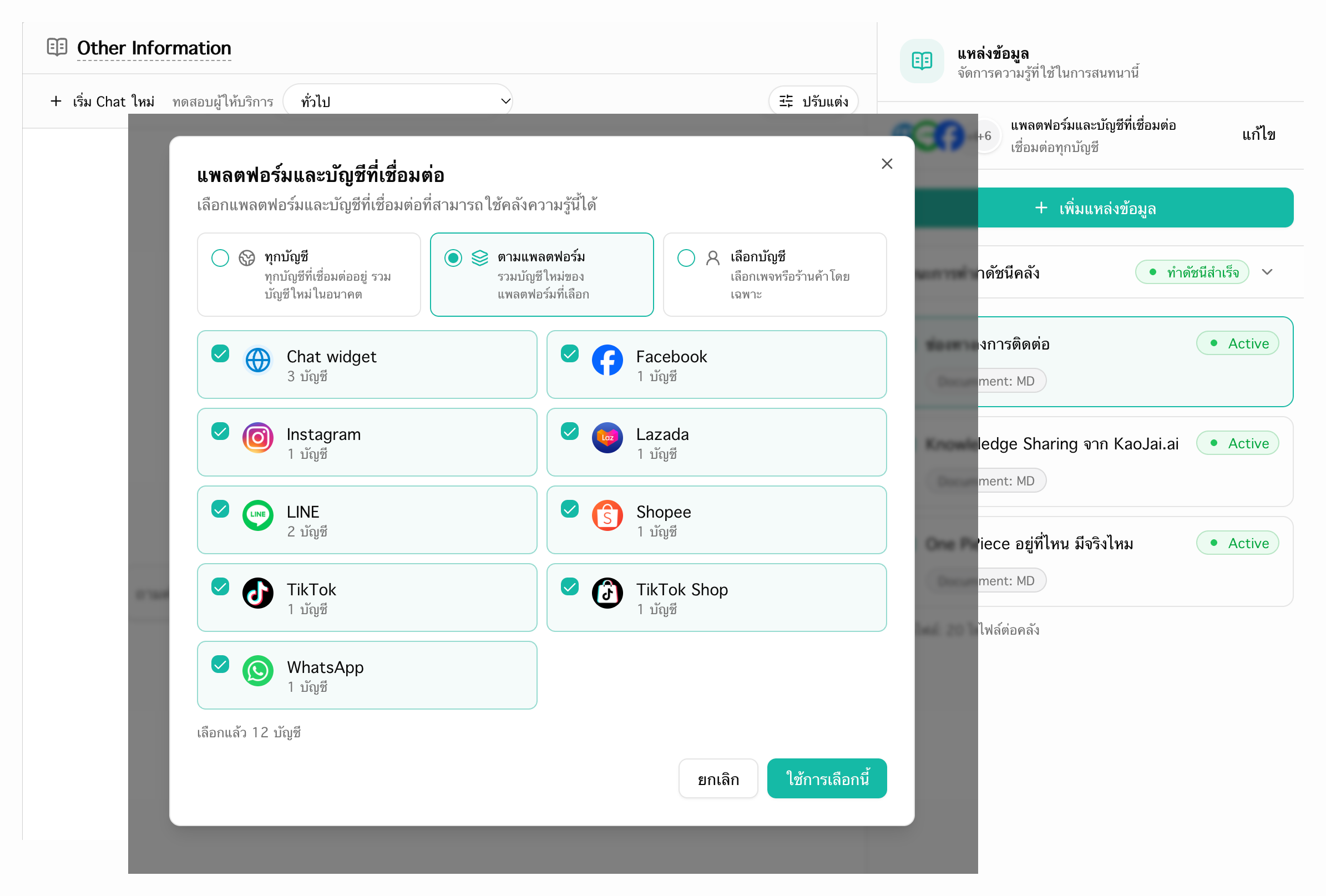
KaoJai’s Enhanced KMS lets you apply each knowledge library to all accounts, selected platforms, or specific connected accounts, so your AI chatbot uses information suited to each conversation.
- Product catalog rules ensure commerce channels use products only from the exact matching platform and connected store account.
- Chat channels use all products by default, including manually added products. You can configure one shared selection of product-source platforms and accounts for chat channels.
KaoJai AI chatbot sends images from your knowledge library
KaoJai’s AI chatbot now chooses relevant images from your knowledge library and sends them to customers with or without text, helping answer requests for pictures. Image display depends on the messaging channel.
- Add publicly accessible image URLs alongside the relevant content in your knowledge library to make those pictures available for replies.
Target KaoJai broadcasts by case status, channel, and labels
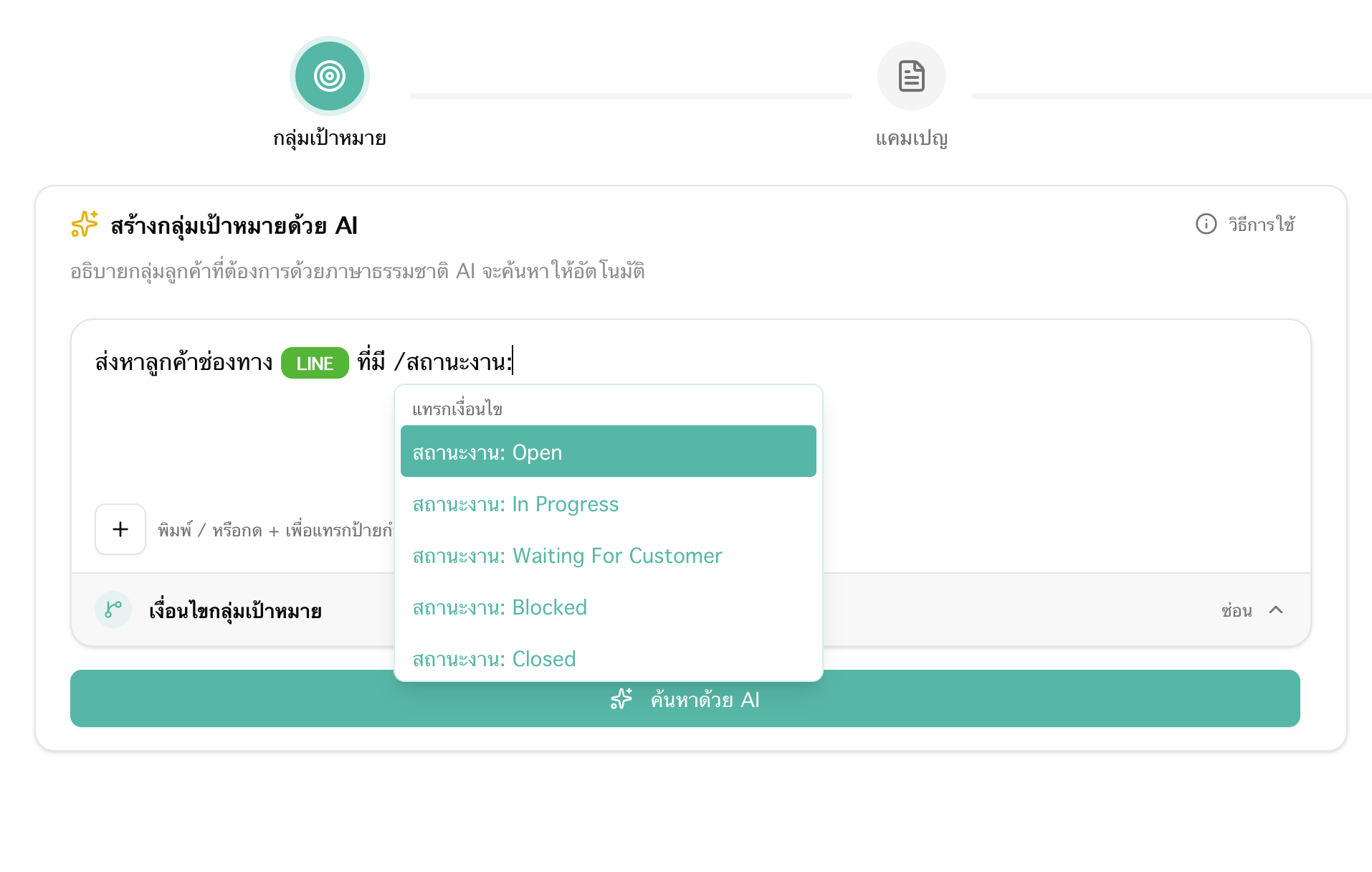
Build a KaoJai broadcast audience in natural language using case status, contact channel, labels, and message dates, so your campaign reaches customers who match those conditions.
- Type / in the audience editor to select case statuses, labels, and contact channels.
- A case-status filter matches customers with any linked case currently in that status.
Keywords: KaoJai Enhanced KMS knowledge libraries, AI chatbot product catalog rules, AI chatbot image replies, KaoJai broadcast audience targeting, broadcast filters by case status and labels