
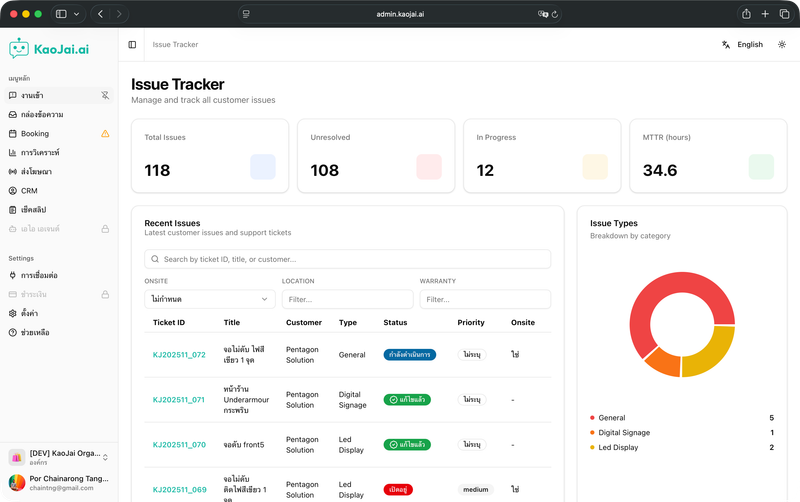
Why AI Triage matters for issue intake
Many support teams still have to ask repeated follow-up questions and track statuses in spreadsheets. As case volume grows, work gets stuck and customers wait longer. The AI triage system we designed lets customers type naturally, then the bot asks only for missing details, records the case immediately, and brings every case into one shared view with automatic status updates.
What customers and teams get
- Report issues in natural language - Customers can describe problems like they are talking to a person, without memorizing a form.
- AI Bot asks for missing details - The system analyzes the message and asks for important missing information without relying on a rigid script, reducing back-and-forth.
- One dashboard for every case - Every report is categorized and given clear status on a daily, channel, or team overview.
- Real-time status updates - When a case is edited or status changes, the system notifies the customer immediately.
User Journey: From message to management
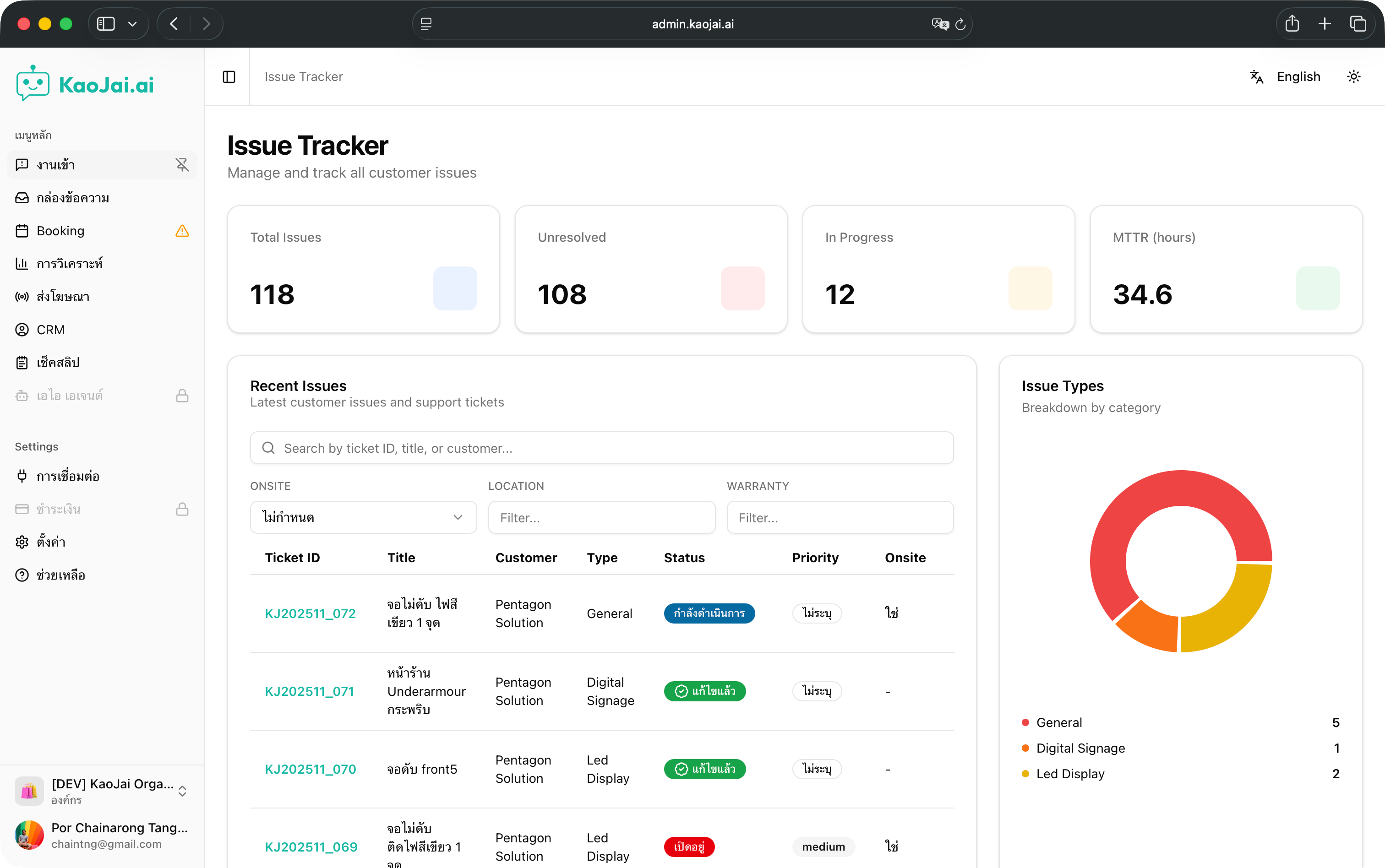
The overview page shows backlog, SLA, and priority clearly so the team can queue work and assign people faster.
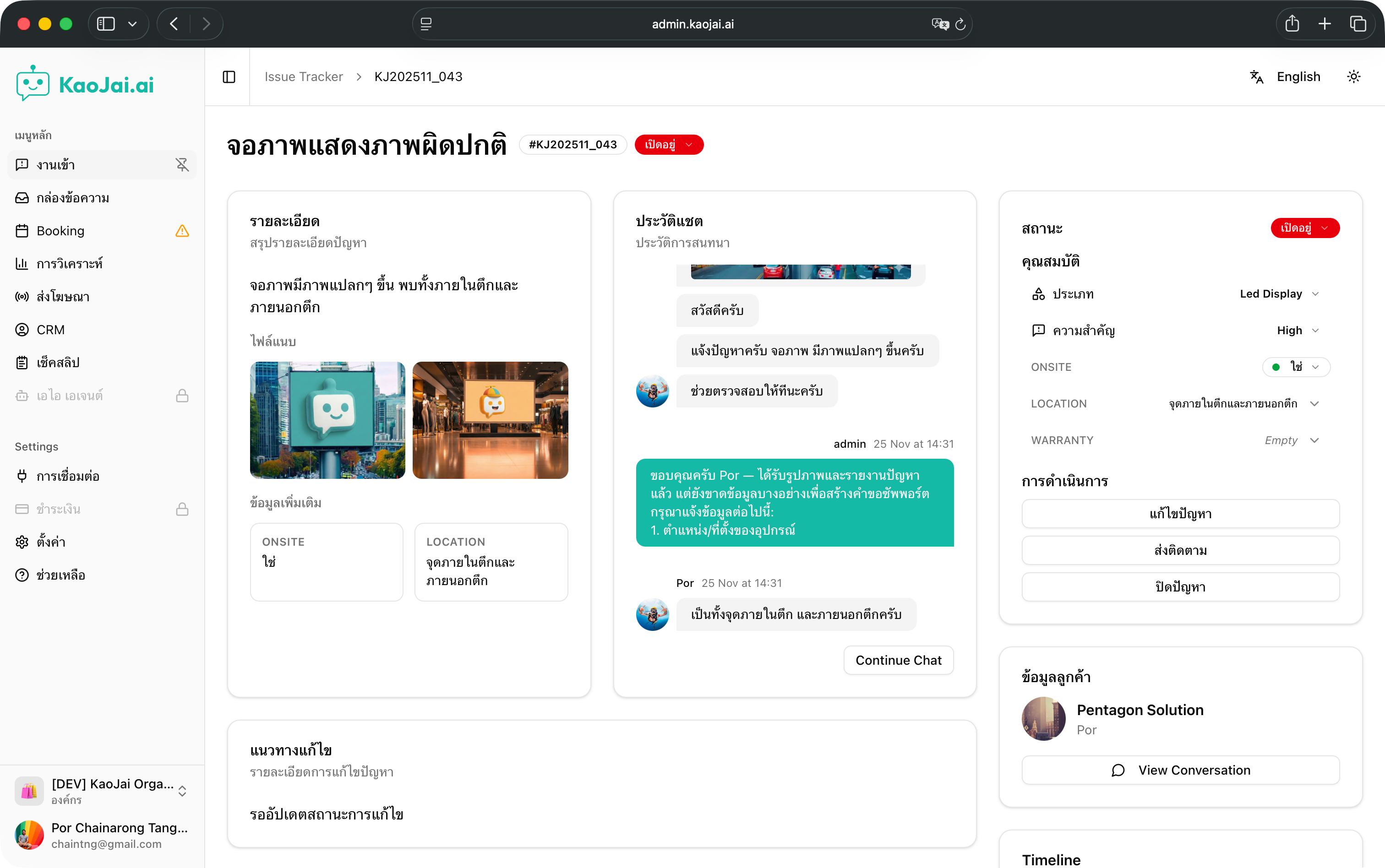
Clicking into a case shows the full details: what the customer wrote, what AI asked for, current status, and buttons to update status with internal comments.
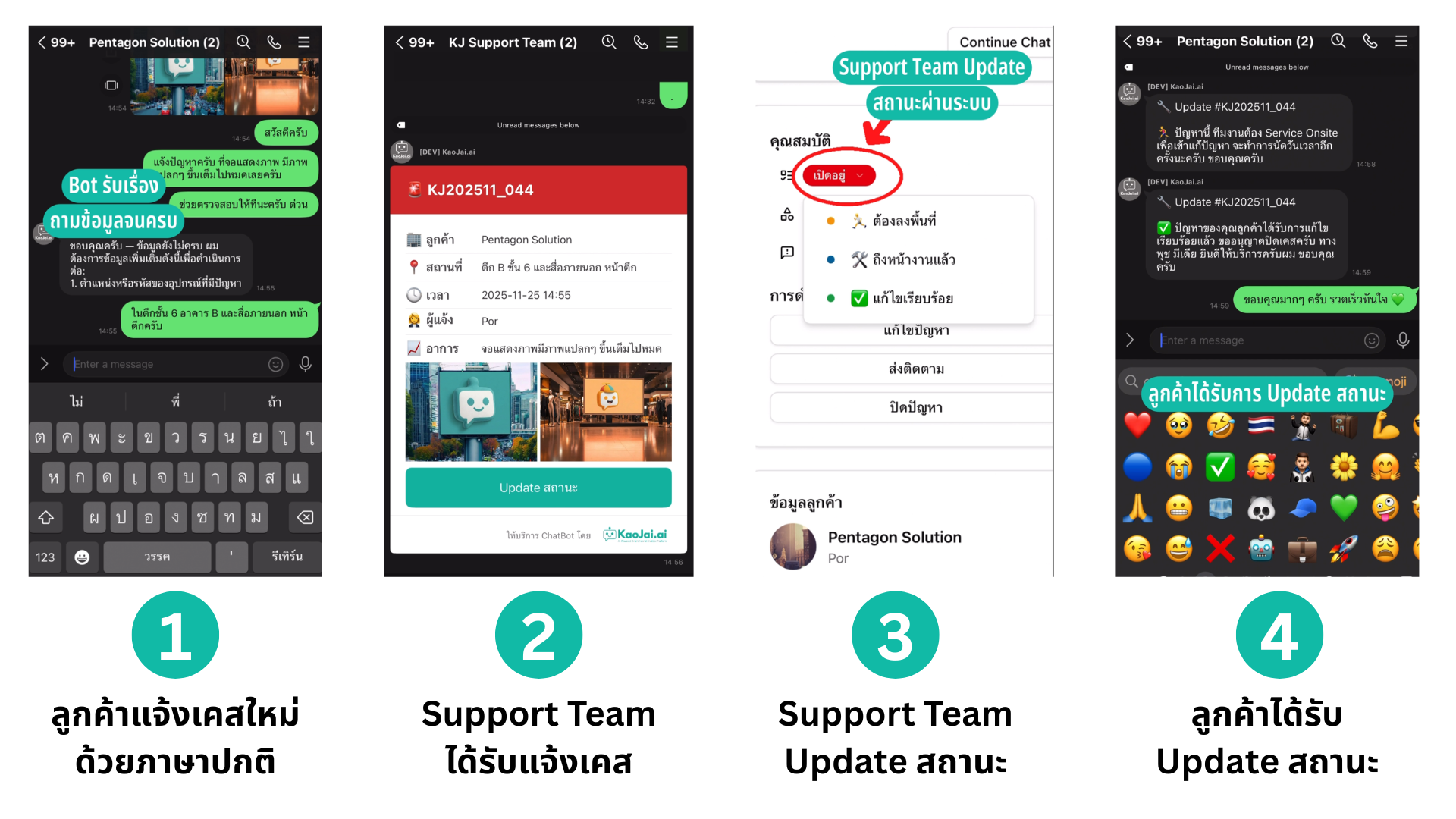
The chat experience feels natural. Customers describe the issue, and the system asks only for missing details such as device model, supporting images, or time of incident before creating a ticket.
Workflow and notifications that keep cases moving
- A customer sends a natural-language message through their preferred channel, such as LINE or web chat.
- AI analyzes intent, extracts required information, and asks only for missing details.
- Once the information is complete, the system creates an issue with automatic category and severity.
- The team sees the new case on the overview dashboard and can assign or update status immediately.
- The customer receives notifications whenever status changes, such as “in progress”, “waiting for more information”, or “closed”.
Watch the short demo
We collected the key steps in a video under one minute here: KaoJai TV - AI Triage Issue System
If you want your team to receive issues faster and reduce response time, try applying AI triage to your current workflow. You should see a cleaner backlog and more satisfied customers.